Repository navigation
Project: Graph SDK Batching improvement #47
Description
Project name
Batching improvements in the Graph SDK SvRooij.Graph.Batching
Description
The Graph SDK has support for Batching, which is a great idea when you are doing a lot of requests to Graph. By batching requests you can achieve much higher throughput.
GraphServiceClient extension to help with Batching
The batch implementation in the GraphServiceClient feels incomplete, by default the GraphServiceClient let's you combine up to 20 requests before throwing an exception. By using this extension you can combine "unlimited" requests and have this extension automatically splits up the requests in multiple batches. While staying very close to the original implementation.
For now this is just an additional nuget package, if a lot of people like it I might create a pr to have this included in the actual client.
After a lot of positive responses and this issue this code is now integrated in the Microsoft.Graph.Core started from version 3.0.1, which is in turn used by Microsoft.Graph version 5.0.1
Useful resources
In this project everybody can check-out the following resources to use themself
- A GitHub action to check pull requests
- A GitHub action to release to nuget
- A nice README.md with a lot of badges
- Blog post on batching
- PR 1 to SDK
- PR 2 to SDK
Repo URL
https://github.com/svrooij/msgraph-sdk-dotnet-batching/
Team members
svrooij
Activity
waldekmastykarz commentedon Mar 3, 2023
Cool! I shared it also with the PG to take a look. Thank you for sharing!
svrooij commentedon Mar 7, 2023
The PR to the SDK got merged, that means developers will no longer need this extension in the near future. But for now, if you want to do anything with batching just install the related nuget and get hacking at this moment.
When the graph SDK is updated, you'll just have to remove my package and the BatchRequestContentCollection will just be available in the sdk
waldekmastykarz commentedon Mar 7, 2023
This is awesome! Congratulations Stephan van Rooij (@svrooij) 👏
waldekmastykarz commentedon Mar 13, 2023
Hey Stephan van Rooij (@svrooij), would you mind recording a short video walkthrough of your hack? Any format will work. It's not required for the hackathon but it would help us showcase your work both internally at Microsoft and publicly in the community. 😊
svrooij commentedon Mar 14, 2023
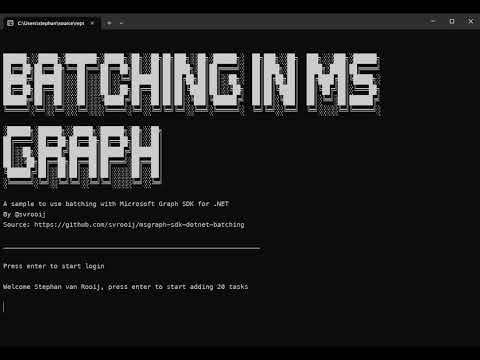
Waldek Mastykarz (@waldekmastykarz) I've created a video to show the speed improvement. if you need the actual video file, just send me a message.
The demo code, from the video can be found in the repository
waldekmastykarz commentedon Mar 15, 2023
Awesome! The video reminds of these all text-based adventure games. "Press enter to start" 🤩
svrooij commentedon Mar 15, 2023
This gives the user the option to see the results in their task list. Else adding and removing would happen in rapid succession and there would not be anything to see.