
1-click video translation & dubbing for Pinokio — 100% local, AI voice cloning, zero API keys.
ℹ️ Beta 1.21: Qwen-Image-2.1 Integration & Native RGBA Transparency Studio (100% Optional):
- ⚡ Qwen-Image-2.1 SOTA Architecture: Unified 7B single-stream DiT model combining Text-to-Image, Reference Image editing, and native RGBA transparency.
- 🪟 Native RGBA Alpha Channel: Generates transparent stickers, overlays, and graphics without external background removal tools.
- 🧪 YouTube Studio A/B Testing Pack: Generates 3 distinct high-CTR visual variants bundled into a 1-click ZIP archive.
- 🛡️ 100% Non-Blocking & Optional: Core translation and voice cloning remain ultra-lightweight; Qwen-Image-2.1 (~30 GB) is only downloaded when explicitly requested. Tested on Windows only.
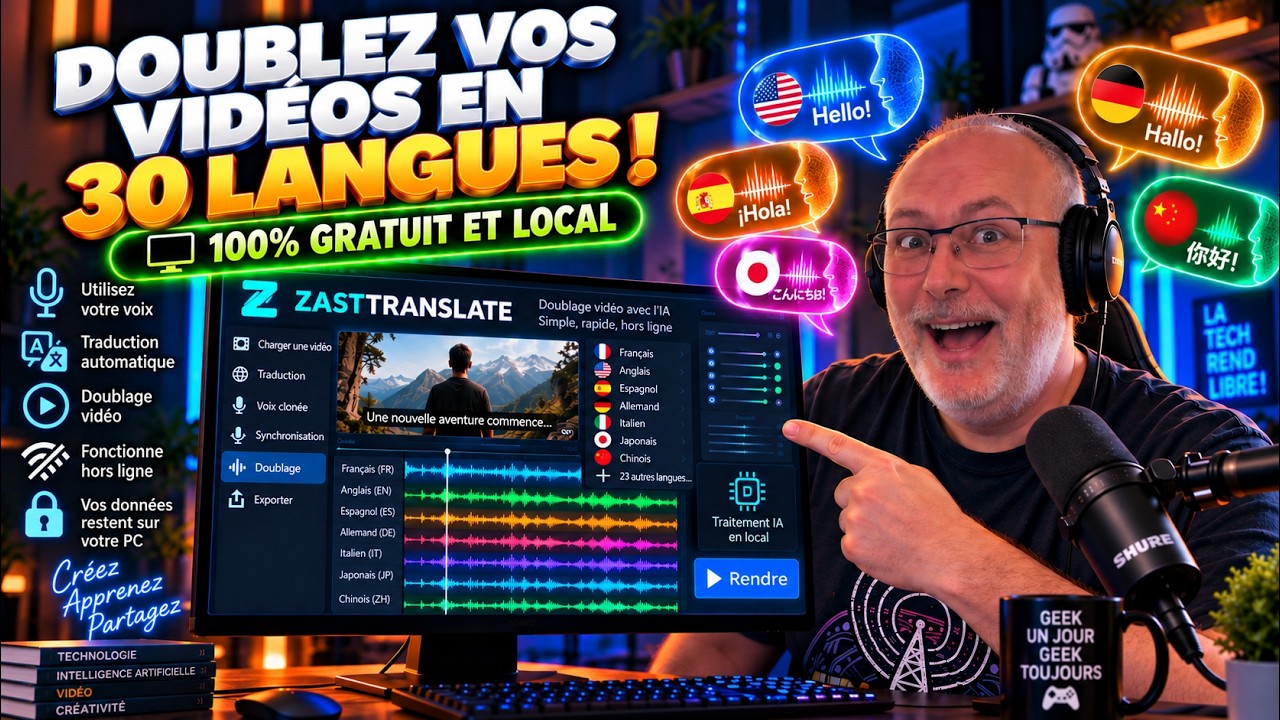
Translate any video into 33 languages with natural-sounding dubbed audio. Optionally clone the original speaker's voice for seamless dubbing. Everything runs locally on your machine — no cloud, no subscriptions.
Watch the complete step-by-step walkthrough to see ZastTranslate in action, from installation to full AI voice cloning, subtitle stabilization, and multi-language dubbing:
- 💡 Per-Tab Quick Guides & Options Explorer: Dedicated collapsible guides embedded at the top of each of the 8 tabs explaining Goal, key options/models, and exact step-by-step click order — 100% in English with zero screen-blocking popups.
- 🎬 Input: YouTube URL (with resolution picker), local video, or local audio file (MP3, WAV, etc.)
- 🎙️ Transcription: WhisperX with word-level forced alignment & 8-step subtitle stabilization (zero 1-word orphan cues, sentence fragment & anti-dangling merging, strictly monotonic non-overlapping timecodes with 40ms gaps, intelligent inter-cue continuation lowercasing, English "I" and German noun capitalization preservation, and cross-cue phonetic term restoration via a 222-rule domain dictionary)
- 📝 SEO Blog & WordPress Studio (Tab 7): Turn any video into a natural, anti-AI blog article (in any language), with tone & style presets, Meta Description, URL slug, 1080p/2K HD keyframe extraction with Lanczos scaling and text/code sharpening, and ready-to-copy Gutenberg Block HTML & Markdown.
- 🎨 AI Thumbnail & Visuals Studio (Tab 8 — Qwen-Image-2.1 — Optional): Dedicated top-level generative AI studio powered by Alibaba's unified 7B DiT model for creating high-CTR 16:9 / 9:16 YouTube thumbnails with 3D typography, reference-conditioned face/product editing, native RGBA transparency (stickers & cutouts), and 1-click 3-variant A/B testing packs with 100% stripped AI metadata.
- 📱 Viral Shorts Studio: Select from 1 to 5 viral moments, preview sequences in the player, customize burned subtitles, and render to vertical 9:16 (1080x1920) with stacked blur & TikTok karaoke dynamic captions.
- 🌍 Multi-Backend Translation: Choose between Qwen2.5-7B, Qwen3.5-9B, or EuroLLM-9B
- 🗣️ Voice Synthesis: Powered by VoxCPM 2 — 30 languages, per-language CPS calibration, with a dynamic factory ready to accept future engines.
- 🎙️ Voice Cloning: Zero-shot voice cloning from original audio or uploaded sample
- 🔊 Smart Dubbing: Auto-adjusts text length & speech speed to match original timing
- 🎵 Audio Separation: Demucs isolates vocals from background music/FX, then remixes with dubbed voice
- 🚀 Bulk Mode: Translate, dub, generate localized metadata, and batch export 9:16 Shorts to multiple languages automatically in one single click
- 📝 Editable: Review and edit transcription, SEO metadata, translation, and Shorts timecodes
- 📦 Export: Final MP4 video, vertical 9:16 Shorts, WordPress ZIP pack, and SRT/ASS subtitles
- 🗑️ Cleanup: "New Project" deletes all temporary files to free disk space
- 🎭 No lip-sync — The dubbed audio replaces the original voice track but the video is not modified (no face/lip adaptation)
- 🗣️ Single voice only — All segments are dubbed with the same voice. Multi-speaker support is not available yet
- Open Pinokio
- Navigate to this repository
- Click Install — sets up Python environment, PyTorch CUDA, VoxCPM 2 voice cloning, and all dependencies
- Click Start — launches the Gradio web interface
ZastTranslate's user interface is split into two columns: the Persistent Preview Panel on the left, and the Action Tabs on the right.
The Left Column provides interactive controls that sync with your workflow tabs:
- Video & Audio Player Preview — Displays the uploaded or downloaded video/audio file.
- Preview Subtitles — Toggle subtitle overlays directly on top of the player in real-time. Choose between:
None— No subtitles.Original— Transcribed text from Step 2.Translation (Fitted)— Concise translation text for dubbing from Step 3.Translation (Normal)— Full translation text from Step 3.
- Dynamic Subtitle Overlay Box — Renders subtitles in real-time, synchronized with the video player's playhead position.
- Seek-on-Click Row Navigation — Click on any dialogue row in the Transcription, Translation, or Dialogue lists to instantly jump the video/audio player playhead to the start time of that segment.
- JS Debug Log — Displays Svelte/Gradio communication logs for monitoring media player playback states.
Each of the 8 tabs in ZastTranslate includes a built-in, collapsible header: 💡 Quick Guide & Options Explained (Tab X) ▾.
- Zero Overlay / Popups: Unlike disruptive spotlight tours that lock your screen or fail during automated tab switching, these guides live directly within each tab's native layout.
- 3 Structured Cards:
- 🎯 Goal: Concise summary of what the current screen accomplishes.
- ⚙️ Key Options & Settings: Plain-English explanations of all dropdowns, checkboxes, and model selections (
basevslarge-v3, Normal vs Fitted translation, voice cloning modes, 9:16 crop styles, Qwen-Image presets, etc.). - 👉 Where to Click: Numbered step-by-step instructions specifying the exact buttons to press and the optimal execution order.
- Collapsible on Demand: Kept closed by default to preserve editing real estate, and smoothly expand with a single click.
Load your video from one of two sources:
- YouTube URL — Paste any YouTube link. The video is downloaded automatically in true 1080p / 4K with automatic JavaScript challenge solving (
remote_components: ejs:github), Node.js runtime, and format sorting. - Local file — Upload a video from your computer. Supported formats: MP4, MKV, AVI, MOV, WebM.

💡 iPhone videos (.MOV with HEVC codec) are fully supported — they're automatically converted for browser playback.
This step separates vocals from background music (Demucs), then transcribes the speech (WhisperX).
| Option | Description |
|---|---|
| Source Language | Select the spoken language, or leave on Auto for detection. Manual selection improves accuracy. |
| Whisper Model | base (fast), small/medium (balanced), large-v3 (best accuracy, ~3 GB VRAM) |

After transcription, review and edit the table (Start, End, Text).
⚠️ You must click "Validate Transcription" before going to the Translation tab. Without validation, the next step will not have any data.
You can also import an existing SRT file instead of running transcription.
To eliminate common WhisperX acoustic hallucinations, broken sentence fragments, and timing defects that degrade downstream LLM translation and TTS voice cloning, ZastTranslate runs a strict 8-stage post-processing pipeline:
-
AI & Tech Context Priming (
initial_prompt): Injects domain vocabulary into the WhisperX autoregressive decoder combined with the video title, eliminating errors at the acoustic source. -
Lookahead Word-Level Boundary Splitting: Enforces
MIN_CUE_WORDS = 3andMIN_CUE_DURATION_MS = 400ms. Words are never expelled into isolated single-word cues with fabricated timings. -
Empty & Isolated Punctuation Elimination: Prunes cues that reduce to empty text or solitary punctuation marks (e.g.
"."), automatically redistributing their duration to the previous cue. -
Context-Aware Sentence Casing (
fix_inter_cue_casing): Only capitalizes at sentence beginnings (first cue or after.,?,!,…,:,»). Mid-sentence continuations are lowercased while respecting proper nouns, acronyms, single accented characters (À,É), English pronouns (I,I'm), and capitalized German nouns. -
Cross-Cue Post-ASR Tech Dictionary (
config/asr_corrections.json): Reconstitutes the subtitle stream to detect and repair 222+ AI, machine learning, speech, video, and hardware terms even if split across consecutive cues (e.g."QN 3.5."+"9B"$\rightarrow$ "Qwen3.5-9B","Bulk Mode","PyTorch","LoRA","ElevenLabs"). -
Sentence Fragment Merging & Anti-Dangling Engine (
merge_sentence_fragments): Analyzes candidate endings to detect dangling connector words (si,que,de,après,ou,et,par,en,se,che,di,if,that,of,wenn,dass), strips accidental terminal punctuation, and fuses trailing clauses with adjacent cues into grammatically sound, complete sentences. -
Strict Timecode Normalization (
normalize_timecodes): Clamps timecodes to guaranteeend[i] <= start[i+1] - 40ms, strictly preventing overlapping subtitles in video players and audio drift in TTS dubbing. -
Broadcast-Compliant Subtitle Formatting: Formats lines within standard reading speeds and lengths (UTF-8 BOM
.srt,.vtt, and single-line.sbv).
Under the transcription table, the built-in YouTube SEO & Description Studio generates high-ranking, publication-ready metadata calibrated to top YouTube algorithm and high-CTR ranking criteria, certified under the Humanizer Anti-AI Writing Charter:
- 🛡️ 100% Anti-AI Style & Humanizer Engine (WikiProject AI Cleanup 35 Patterns):
- Powered by the same natural language engine as Tab 7 Blog Studio (adapted from
blader/humanizerand Wikipedia's AI Cleanup project). - Formally bans AI hype words: Eradicates clichés like "Swiss army knife", "game-changer", "revolutionary", "pivotal moment", "testament to", or "indelible mark".
- Bans robotic intro chatter: Eliminates formulaic openers ("In this video we will explore...", "Without further ado...", "Let's dive into the details...", "In today's fast-paced digital world..."). The hook goes straight to the core search intent.
- Zero Markdown Asterisks (
**): YouTube Studio does not render markdown bold and displays raw, ugly asterisks. Descriptions are cleanly structured using natural sentence-case headings and tasteful emojis (no shouting all-caps titles).
- Powered by the same natural language engine as Tab 7 Blog Studio (adapted from
- 🎥 Original Video Optimization Workflow (Local Files & Existing Videos):
- When importing a local file (or an unreleased video) in Tab 1, enter your preliminary subject in 🏷️ Custom Video Title / Topic.
- Transcribe in Tab 2 and click ✨ Generate Complete YouTube SEO Kit. The system mines live YouTube autocomplete queries and crafts an authentic metadata package.
- Review your title and description, choose your preferred hashtag pack, and click 📥 Apply as Original Video Metadata.
- This immediately saves the optimized title and description into the project state and auto-populates Tab 3 (Single Translation) and Tab 5 (Bulk Mode), ensuring all localized dubbing tracks inherit this master metadata.
- 📌 Front-Loaded High-CTR Titles: Focuses on the primary search intent and exact product/tool name within the first 45 characters with natural sentence casing and brand normalizations (Hermès Agent, Windows, IA, API, ChatGPT).
- ⏱️ Full-Duration Timeline Chapters & Landmark Detection: Uniformly analyzes the entire video from
00:00to the very last second. Automatically detects major technical landmarks (Ollama, Qwen Local LLM, Telegram Bots, Smartphone Remote Control, API Setup, Automated Jobs) and generates clean, well-spaced timestamped chapters (1 to 3 minutes between milestones). - 📝 High-Retention Clean Descriptions (200-300 words): Search-intent hook, rich feature breakdown, full chapters, resource links, and call to action.
- 🏷️ 4 Strategic Hashtag Packs (Live UI Visibility & 1-Click Switching):
Pack 1 (Subject & Tool): Targets direct brand and tool searches (#zasttranslate #doublage #clonagevocal #pinokio).Pack 2 (Format & Tutorial): Targets learners and intent queries (#tutoriel #guide #tuto #test).Pack 3 (Tech Stack & Ecosystem): Targets local developers and technical communities (#ia #clonagevocal #doublage #pinokio).Pack 4 (Trends & Suggested Videos): Piggybacks on YouTube's algorithmic homepage recommendations (#opensource #whisper #innovation #dev).
- 🔍 Live YouTube Autocomplete Search Suggestion Mining:
- Automatically queries Google's public YouTube search suggestion endpoint (
https://suggestqueries.google.com/complete/search?client=firefox&ds=yt&q=...) in real-time (0 API key required). - Retrieves the exact search terms real users are typing right now on YouTube, sorted by popularity and search volume.
- Applies smart semantic disambiguation and a domain blacklist to purge unrelated fashion or clothing homonyms for tech subjects.
- Automatically queries Google's public YouTube search suggestion endpoint (
- 🎯 Long-Tail Tags Pool: Combines live YouTube suggestions with high-CTR modifier patterns (
tuto ...,installation ... windows,test ...,avis ...) formatted ready for YouTube Studio's tag box. - 📥 One-Click Metadata Sync: Click "Apply as Original Video Metadata" to forward the generated title and description to Tab 3 and Tab 5 for multi-language localization.
Select the target language and click Run Translation. The app generates two versions:
- Translation — Natural, full translation (faithful to the original meaning)
- Fitted — Concise version shortened to fit segment duration for dubbing (✅ = fits,
⚠️ = may overflow)


Both columns are editable. The Fitted column is what will be spoken during dubbing.
⚠️ You must click "Validate Translation" before going to the Dubbing tab. Without validation, dubbing will not work.
Export options: Export Translation SRT (full) or Export Fitted SRT (dubbing-ready).
Supported languages: The dropdown automatically updates based on the intersection of the capabilities of the selected TTS Backend (Tab 1) and LLM Backend (Tab 2). For example:
- TTS: VoxCPM 2 supports 30 languages (Arabic, Burmese, Chinese, Danish, Dutch, English, Finnish, French, German, Greek, Hebrew, Hindi, Indonesian, Italian, Japanese, Khmer, Korean, Lao, Malay, Norwegian, Polish, Portuguese, Russian, Spanish, Swahili, Swedish, Tagalog, Thai, Turkish, Vietnamese).
- LLM: Qwen2.5/3.5 support all languages. EuroLLM supports only European languages. If you combine EuroLLM (European) with VoxCPM 2, only the European languages supported by both will be available.
Generate the dubbed video with synthesized speech.

Under the main dialogue segments table, a specialized Segment Editor Card opens when you select a segment row:
- Seek-on-Click: Clicking on any dialogue segment row instantly jumps the video/audio player playhead to the segment's starting time.
- Timing Calibration: You can adjust the Start time and End time (in minutes and seconds) of the selected segment to fine-tune the synchronization.
- Text Editing: Edit the dialogue text of the segment directly. If using Fitted Translation, editing the text will immediately update the dubbing TTS script.
- 🔄 Regenerate Segment Audio: Re-synthesize the voice for the selected segment only and update the local cache immediately on disk. This allows you to iteratively test and tune specific lines without reprocessing the whole video.
⚠️ Reformulation Warning: If a segment is shortened or reformulated by the translation LLM to fit timing constraints during synthesis, the editor card displays a warning icon⚠️ and the exact shortened text so you can review it.


| Mode | Description | When to use |
|---|---|---|
| Default voice | Uses the video's original voice as reference | Quick dubbing without manual sample |
| Clone from original | Clones the speaker's voice from the extracted vocals | Best result — sounds like the original speaker |
| Clone from file | Uses an uploaded WAV/MP3 file as voice reference | When you want a specific voice (10-30s of clear speech) |
💡 Voice cloning uses VoxCPM 2, installed automatically during setup.
🔊 Never Cut Vocal mode speaks all text in full without truncation. Produces more natural speech but dubbing may drift out of sync with the video.
Output: Final dubbed MP4 video + mixed audio (downloadable as WAV).
 The Config CPS tab lets you tune the characters-per-second (CPS) speaking rate used to compute maximum Fitted text length per segment.
| Column | Description |
|---|---|
| Language | Display name |
| ISO | ISO 639-1 code |
| Default CPS | Built-in calibrated value |
| Your CPS | Your override — leave empty to use the default |
Click Save to apply immediately (no restart required). Click Reset to defaults to clear all overrides.
Automate the translation and dubbing process for multiple languages down to a single click!
- After validating the transcription in Tab 2, switch directly to Tab 5.
- Select all the target languages you want from the dropdown list.
- (Optional) Fill in the Original Video Title and Description. The AI will translate them into every selected language and display them on-screen for easy copy-pasting.
- Choose your voice options (whether to clone or not, etc.).
- Choose your output generation mode:
- Video + Audio: Generates the final MP4 dubbed videos, WAV audio tracks, and translated SRTs.
- Audio Only: Generates the WAV mixed audio tracks and SRTs (faster if you don't need video rendering).
- Subtitles & Metadata Only: Skips voice synthesis completely! Generates translated
.srtsubtitles (Natural & Fitted), localized video titles, and descriptions for all selected languages in seconds, packaged in a single.ziparchive.
- Click Run Bulk Process and wait. The software will process each language sequentially.
⚡ Ultra-Fast Subtitles & Metadata Mode: When choosing "Subtitles & Metadata Only", voice cloning and audio mixing are bypassed, allowing you to generate multi-language YouTube subtitle packages and SEO descriptions in under 15 seconds!


ZastTranslate includes a built-in AI auto-clipper and vertical video reformatter with full interactive fine-tuning:
- Granular Clip Count (1 to 5 Shorts): Choose exactly how many viral moments to detect and render (from 1 to 5 shorts, default 3) using an intuitive slider. Save valuable GPU/CPU rendering time if you only need 1 or 2 killer excerpts.
- AI Viral Detection & PySceneDetect Snapping: The local LLM analyzes the full timeline to identify standalone, high-retention moments (20s to 55s) and snaps them to visual camera cuts (PySceneDetect 0.7.1) and natural speech pauses.
- 👁️ 1-Click Visual Preview in Player:
- Click any row in the overview table or click "
▶️ Preview Short #X in Player" to instantly jump the left video player to the start timecode and play the exact scene. - Fine-tune
Start (s)andEnd (s)times with visual confirmation.
- Click any row in the overview table or click "
- ✅ Selective Rendering (A la carte):
- Easily include or exclude individual clips using the "🎬 Include Short #X in Render" checkbox. Unchecked clips are completely skipped during the rendering pass.
- 📝 Review & Edit Burned Subtitles Before Rendering:
- Inspect the exact transcript text that will be burned into the vertical video for each short.
- Correct brand names, acronyms, homophones, add punchy uppercase words or emojis (🔥, ⚡, 🚀).
- The subtitle engine automatically recalculates word timings and synchronizes dynamic word-by-word TikTok karaoke on the edited text.
- 9:16 Vertical Recropping:
- Stacked Blur (Aesthetic): Renders the full 16:9 frame in the center while dynamically scaling and heavily blurring the top and bottom backgrounds (
scale=1080:1920,boxblur=25:5). - Center Crop (9:16): Direct 1080x1920 center-crop for high-impact action.
- Stacked Blur (Aesthetic): Renders the full 16:9 frame in the center while dynamically scaling and heavily blurring the top and bottom backgrounds (
- Animated 'Word-by-Word Karaoke' Captions (TikTok & Viral Shorts Style):
- Native WhisperX Word-Level Timestamps: Leverages individual phonetic word alignments (
words) from WhisperX and compiles them into ASS karaoke tags{\kf<centiseconds>}. - Punchy Chunking (Shorts Retention Style): Intelligently groups words into small rhythmic chunks of 3 to 5 words max (15-22 characters) centered vertically for maximum viewer retention.
- Active Spoken Word Highlighting: The exact word currently being spoken lights up in vibrant neon color with smooth progressive wiping, while surrounding words remain clean crisp white with heavy black stroke (7px) and deep drop shadow (4px).
- Neon & Minimalist Presets:
🔥 TikTok Karaoke Neon Yellow (Viral): High-energy TikTok golden-yellow neon (&H003BF5FF/#FFF53B).⚡ TikTok Karaoke Mint Green (Neon): Electric mint green highlight (&H00D4FF70).💎 TikTok Karaoke Cyber Cyan (Pop): Electric cyan glow (&H00FFFF00).🌸 TikTok Karaoke Punchy Pink: Hot fuchsia pink pop (&H00D420FF).⚪ Minimalist White (Clean Static): Classic clean white static typography without wiping.🚫 No Subtitles: Clean video without burned subtitles.
- Smart Interpolation Fallback: Works seamlessly on both original WhisperX speech transcripts and dubbed tracks (proportional word timing distribution across sentence durations).
- Native WhisperX Word-Level Timestamps: Leverages individual phonetic word alignments (
- Dynamic Gallery & 1-Click ZIP:
- Displays rendered clips in a responsive 1 to 5 video player gallery.
- Download individual MP4 clips or the complete combined
shorts_export_pack.zip.
Transform any transcribed video into a complete, human-sounding, SEO-optimized blog post ready for WordPress:
- Target Language: Write the article in French, English, Spanish, German, Italian, or 20+ other languages.
- Writing Styles & Tones:
Step-by-Step Tutorial (How-To Guide): Practical, actionable step-by-step how-to guide with tips and prerequisites.Expert & Technical Deep-Dive: In-depth architectural breakdown, benchmarks, and advanced use cases.Storytelling & Case Study: Problem-solution narrative showing tangible transformation.Journalistic & Objective Review: Objective reporting with executive summary and unbiased comparison.High-Converting Copywriting: High-converting benefit-focused copy with strong hooks.Accessible Beginner's Guide: Simple, warm, and accessible explanations with everyday analogies.
- 🛡️ Humanizer Engine (35 Anti-AI Detection Rules inspired by WikiProject AI Cleanup / blader/humanizer):
- 100% Subtitle Fidelity & Zero Hallucinations: Continuous chronological aggregation covering 100% of speech segments (no subsampling or skipped cues) with strict ground-truth anchoring. No invented hardware, false limitations, or inflated prerequisites.
- First-Person Author Voice (Zero Meta-Video Commentary): Eradicates all third-person video chatter ("la vidéo montre", "l'auteur mentionne", "dans cet extrait"), writing directly as an authentic hands-on tutorial for blog readers.
- Absolute Ban on Semicolons (;) & Em/En Dashes (— / –): Automated regex post-processing completely eradicates robotic semicolons and dashes in prose while strictly preserving code blocks and HTML entities.
- No Decorative Emojis in Headings: Keeps all Markdown H1/H2/H3 titles clean, professional, and natural (no 📌, 🛠️, 🎯, 💡 decoration).
- No YouTube Video Outro Chatter: Eradicates spoken YouTube channel formulas ("N'hésitez pas à liker, partager, commenter et vous abonner", "laissez un pouce bleu", "à la prochaine", "liens en description"), preserving a pristine written article tone.
- No Inflated Importance or Hype: Eradicates claims like "pivotal moment", "testament to", "tournant décisif", "révolutionnaire", "couteau suisse".
- No Shallow Participle Analysis: Removes pseudo-profound -ing clauses ("soulignant ainsi", "highlighting the need for").
- Direct Verbs: Prioritizes direct phrasing (is / has / permet) instead of avoiding simple verbs ("serves as", "stands as", "se positionne comme").
- No AI Cliché Announcements: Bypasses intros ("In this article, we dive into...", "À l'ère du numérique...") and cliché endings ("In conclusion...", "En résumé...").
- Calibrated Sentence-Case SEO Title (50-65 chars): Strips pipes (
|) and slug artifacts, enforces natural French lowercase sentence-casing after colons, and locks length between 50 and 65 characters for optimal Google SERP CTR.
- 🔍 Live Real-Time Google & YouTube Keyword Discovery: Queries Google Autocomplete in real-time without API keys, weaving discovered high-intent search queries into H1, intro, and H2/H3 subheadings.
- SEO Metadata Pack: Generates a High-CTR H1 Title, calibrated Meta Description (145-160 chars), clean hyphenated URL slug, and primary + LSI secondary keywords.
- 📸 High-Definition Keyframe Extraction (1080p / 2K & Text/Code Sharpening):
- Google Discover & SEO Compliant: Generates high-resolution screenshots fully compliant with Google Search Central guidelines (minimum 1200 px width requirement for rich snippets and Discover cards).
- Configurable Resolutions: Select your desired export resolution directly from the UI:
1080p (Full HD - 1920x1080) [Recommended for SEO & Articles](Default)1440p / 2K (2560x1440) [Ultra-Net / Code & Terminal Legibility]720p (HD - 1280x720) [Lightweight]Source Native
- High-Fidelity Lanczos Scaling: Automatically upscales lower-resolution videos (e.g. 360p, 480p, 720p) using FFmpeg Lanczos resampling (
scale=1920:-2:flags=lanczos+accurate_rnd). - Text & Code Clarity Enhancement: Applies an edge-preserving unsharp contrast filter (
unsharp=lx=5:ly=5:la=1.0:cx=5:cy=5:ca=0.0) so terminal command lines, code blocks, UI buttons, and presentation slides are crisp and easily readable. - Automatic High-Res Source Discovery: Automatically detects and uses higher-resolution video candidates in
temp/if the active project video is low-res. - Maximum JPEG Quality: Uses
-q:v 1for lossless-like JPEG visual clarity. - Live Dimension Tags: Displays exact dimensions (e.g.
1920x1080) directly on each keyframe card and embeds resolution metadata inseo_metadata.json.
- 📋 1-Click WordPress Gutenberg & Markdown Export: Outputs standard Markdown and 100% native Gutenberg HTML comments (
<!-- wp:heading -->,<!-- wp:paragraph -->,<!-- wp:list -->,<!-- wp:quote -->,<!-- wp:code -->) ready to paste directly into the WordPress Code Editor. All assets and keyframes are packaged intoblog_pack_wordpress.zip. - Bridge to Thumbnail Studio: Includes a direct action button (
🎨 Open Thumbnail Studio (Tab 8)) to immediately create custom AI thumbnails or stickers for the blog post.
Dedicated top-level AI image generation studio powered by Alibaba's unified 7B DiT model (Qwen/Qwen-Image-2.1):
- Spacious 2-Column Professional Layout:
- Left Column: Multi-variant style presets dropdown (select 1 to 3 styles) with 1-click curated quick packs (Standard 3-Pack, Travel & Adventure, Tech & Neon, Clean SaaS), visual prompt with 3D typography helper, 1-click AI Prompt Assistant, aspect ratios (
16:9,9:16,1:1,4:3), optional reference photo upload, and ⚙️ Advanced Settings (40 Steps, CFG Guidance Scale, Negative Prompt, Seed). - Right Column: Interactive preview tabs dynamically named after your chosen variants (e.g.
Variant A : Travel & Scenic Adventure,Variant B : Editorial Portrait, etc.), comparison gallery, download actions, and direct 1-click ⭐ Use as Blog Thumbnail sync with Tab 7.
- Left Column: Multi-variant style presets dropdown (select 1 to 3 styles) with 1-click curated quick packs (Standard 3-Pack, Travel & Adventure, Tech & Neon, Clean SaaS), visual prompt with 3D typography helper, 1-click AI Prompt Assistant, aspect ratios (
- 🧪 Custom YouTube A/B Testing Studio (1 to 3 Selected Variants): Choose any combination of styles or use quick packs for YouTube Studio's 'Test & Compare' feature:
- Multi-Variant Flexibility: Select 1 style for a single image, or choose up to 3 distinct styles (e.g. Travel, Tech Glow, Editorial, SaaS, etc.) to compare performance.
- Dynamic Tab Synching: Tab labels on the right update in real-time to match your selected styles without hardcoded overrides or selection loops.
- 📦 1-Click ZIP Pack: Packages all generated sanitized PNGs with a
README_YOUTUBE_AB_TEST.txtguide detailing each variant and how to upload them directly into YouTube Studio's 'Test & compare' tool.
- ✨ Official Alibaba Prompt Engineering Framework (
Qwen-Image-2.1-PE-T2I):- Observer Role: Natural third-person scene description reporting what is in the frame, rather than generic renderer commands.
- Banned Quality Boosters: Formally purges empty buzzwords ("8K", "masterpiece", "hyperrealistic", "award-winning") that pollute DiT embeddings.
- Spatial Anchoring: Precisely places objects and badges using physical anchors (In the center of the frame, To the left, On the right, In the lower third, Across the background).
- Physical Materials & Lighting: Specifies tangible surfaces (brushed titanium, carved dark walnut, frosted glass, acrylic, neon glass tubes) and dedicated cinematic lighting (overhead softbox, Rembrandt triangle shadows, golden rim highlights, volumetric haze).
- Strict Punctuation & Version Preservation: Straight double quotes (
reads "ZAST TRANSLATE 1.21") with strict preservation of decimal points and version numbers.
- 🎨 12 Curated Aesthetic Presets (Alibaba Space & GitHub Showcases):
YouTube Viral High-CTR: High-contrast electric cyan and warm amber rim lighting, prominent 3D typography, dark acoustic studio environment.Photorealistic Studio Shot: Commercial studio photography, physical custom-milled 3D acrylic letters, 85mm prime lens at f/1.8, soft circular bokeh, overhead softbox diffusion.Travel & Scenic Adventure: Expansive travel documentary photography, 24mm wide-angle, majestic golden hour landscape, natural textures, and organic stone/wood typography.Editorial Portrait & Creator: Medium-format creator workspace portrait, natural skin textures with visible micro-pores, linen clothing, morning sidelight, and subtle film grain.Culinary & Food Lifestyle: Mouthwatering commercial food photography, 50mm macro, artisanal gourmet plating, fresh herbs, rising steam, and natural window lighting.Business, Finance & News: Authoritative business editorial documentary, modern boardroom skyline at twilight, upward data trends, and polished gold/charcoal typography.Gaming & Epic Cinematic: High-energy action gaming scene, battle-hardened warrior, chiseled fiery metallic 3D typography, volumetric smoke, and celestial energy beams.Refined Typography Poster: High-end Art Deco geometric typography poster, ivory and champagne gold lettering with strict hierarchy, and clean negative space.3D Isometric & Tech Glow: Clean isometric 3D models with neon accents, soft ambient occlusion shadows, and modern tech aesthetic.Cyberpunk & Bold Neon: High-contrast dark backgrounds with vivid magenta and cyan neon glow, wet reflective asphalt, and volumetric night haze.Minimalist & Clean SaaS: Modern editorial frosted-glass cards, subtle gradients, soft contact shadows, and generous negative space.Transparent RGBA (Sticker / Cutout): Clean alpha cutout with zero background, compliant with Alibaba's native RGBA transparency syntax.
- 💡 1-Click Official Prompt Showcase (Alibaba Examples): Built-in interactive gallery with 8 full-scene showcase examples (Travel Adventure, Creator Portrait, Night Train Travel Poster, Artisanal Ramen Culinary, Global Market Finance, Boss Fight Gaming, Viral AI Video Tech, and Transparent RGBA Sticker). Click any example to immediately load its full prompt, preset, and optimal aspect ratio into the UI in 1 click.
- ⚡ Technical Controls & Convergence:
- 40 Diffusion Steps Standard: Strictly guarantees 40 inference steps (Alibaba's official default) for crisp, noise-free convergence.
- 🎯 Guidance Scale (CFG 1.0 to 6.0): Adjustable Classifier-Free Guidance (2.0 to 3.5 recommended for studio contrast and razor-sharp lettering).
- 🚫 Negative Prompt: Automatically engaged when CFG > 1.0 to suppress blurriness, distortion, and dark artifacts.
- 🪟 Native RGBA Transparency Support: Generates transparent PNG stickers, graphic cutouts, and overlays with alpha channel directly from prompt triggers without needing background removal tools.
- 🛡️ Anti-AI Detection Metadata Sanitizer: Automatically purges all generation metadata (EXIF tags, PNG
tEXt/zTXt/iTXtchunks, prompts, model identifiers, diffusers signatures, C2PA) on save, reconstructing images from raw pixel buffers so they appear 100% human-crafted. - 💡 Context-Aware AI Prompt Assistant: Converts short ideas into rich high-CTR visual prompts with quoted 3D typography (
"YOUR TITLE"):- Prompt Typed: Emphasizes your custom keywords and designs matching lighting and composition.
- From Blog Studio (Tab 7): If prompt is empty, it automatically pulls your SEO Focus Keyword & H1 Title from Tab 7.
- From Video (Tab 1): If no blog exists, it automatically parses your imported video title (cleaning filler words like 'how-to', 'tutorial').
- 📥 1-Click Pinokio Launchers & Disk / VRAM Cleaning Controls:
clean_cache.js(🧹 Clean Cache (Temp)): 1-click Pinokio maintenance script that purges the temporary workspace directory (temp/) without touching finished outputs or models.clean_output.js(🗑️ Clean Output): 1-click Pinokio maintenance script that cleans all exported videos, audio tracks, and ZIP archives fromoutput/to recover disk space.🧹 Free VRAM (Unload)(In-App Button): Immediately unloads Qwen-Image-2.1 model weights from GPU memory to 0% VRAM usage, freeing resources for WhisperX transcription or VoxCPM 2 vocal dubbing.🗑️ Free Disk Space (Delete Weights)(In-App Button): Safely deletes local model weights (~33 GB) from disk (models/qwen_image/) on user demand.qwen_image_install.js(📥 Install Qwen-Image): Dedicated 1-click launcher to download and configure model weights whenever desired.
The built-in Help tab provides detailed usage instructions, troubleshooting tips, and system information.

- Core App (WhisperX, Translation, VoxCPM 2 Voice Dubbing, 9:16 Shorts):
- GPU: NVIDIA GPU with 6+ GB VRAM recommended (CUDA)
- RAM: 16 GB System RAM recommended
- Disk: ~8 GB for models (downloaded on first use)
- OS: Tested on Windows only (with Pinokio).
- 🎨 Qwen-Image-2.1 Visuals Studio (100% Optional):
- GPU: NVIDIA GPU with 8 to 12+ GB VRAM (with CPU offload) or 24 GB VRAM (native BF16)
- RAM: 32 GB System RAM recommended (for fast CPU-to-GPU layer offloading)
- Disk: ~33 GB for model weights (
Qwen/Qwen-Image-2.1) - Non-blocking: The core application functions 100% without downloading or running Qwen-Image-2.1.
from modules.transcriber import Transcriber
from modules.seo_assistant import YouTubeSEOAssistant
from modules.reformulator import Reformulator
from modules.tts_engine import TTSEngine

# 1. Transcribe audio with WhisperX + Wav2Vec2 word alignment
transcriber = Transcriber(model_size="large-v3")
result = transcriber.transcribe("video.mp4", language="fr")
segments = result["segments"]

# 2. Generate YouTube SEO Kit (Title, Chapters, 4 Hashtags Packs, Description, Tags)
seo = YouTubeSEOAssistant()
seo_kit = seo.generate_full_seo_package(
    segments,
    current_title="Dragon Ball Nikolatoy",
    source_lang="fr"
)
print("Title:", seo_kit["title"])
print("Chapters:\n", seo_kit["chapters"])
print("Tags:", seo_kit["tags"])

# 3. Translate & Fit subtitles to timing in one pass
reformulator = Reformulator(backend_name="Qwen2.5-7B-Instruct")
reformulator.load_model()
translated = reformulator.translate_segments(
    segments,
    source_lang="French",
    target_lang_name="English",
    target_lang_code="en",
    cps=15.0
)

# 4. Synthesize with zero-shot voice cloning
tts = TTSEngine()
tts.load_model(voice_path="vocals.wav")
result = tts.synthesize_segment("Hello world", "en", "output.wav", voice_path="vocals.wav")// Query Gradio API endpoints programmatically
async function translateVideo() {
const response = await fetch("http://localhost:7860/api/predict", {
method: "POST",
headers: { "Content-Type": "application/json" },
body: JSON.stringify({
data: [
"https://www.youtube.com/watch?v=XPLE57E7OBM",
"English"
]
})
});
const data = await response.json();
console.log("Translation Result:", data);
}
translateVideo();# Query the live ZastTranslate server
curl -X POST http://localhost:7860/api/predict \
-H "Content-Type: application/json" \
-d '{"data": ["https://youtube.com/watch?v=XPLE57E7OBM"]}'- Models download on first run — WhisperX, Qwen3-8B, Demucs, and TTS models are cached in HuggingFace's default cache directory
- Out of VRAM: Models are loaded/unloaded sequentially to minimize memory usage
- Clean install: Click Reset then Install to start fresh
These messages appear in the terminal but do not affect functionality and can be safely ignored:
| Warning | Explanation |
|---|---|
Could not load libtorchcodec |
TorchCodec / FFmpeg DLL compatibility message. Long traceback but no impact on the app. |
Video does not have browser-compatible container or codec |
Gradio auto-converts iPhone MOV/HEVC videos to MP4 for browser playback. |
ConnectionResetError [WinError 10054] |
Harmless Windows networking warning from the Gradio server. |
- 🌐 zast57.com — Website
- 🤓 paradoxetemporel.fr — Tech & Geek blog
- 🎬 zast.fr — YouTube channel
- 📺 ZastTranslate YouTube Tutorial — Complete step-by-step video guide: dub any video locally with your own voice
- WhisperX — Speech recognition & transcription
- Humanizer — Anti-AI writing style rules engine (blader/humanizer & WikiProject AI Cleanup)
- Qwen-Image-2.1 — 7B unified DiT generative image model with native RGBA transparency (Qwen / Alibaba Cloud)
- Qwen2.5-7B-Instruct — LLM backend (text fitting & reformulation)
- Qwen3.5-9B — LLM backend (text fitting & reformulation)
- EuroLLM-9B-Instruct — LLM backend (European languages)
- VoxCPM 2 (openbmb/VoxCPM2) — TTS & voice cloning (30 languages)
- Demucs — Audio source separation
- PySceneDetect (0.7.1) — Video scene cut detection & boundary snapping
- OpenCV — Computer vision & image processing
- Gradio — Web interface
- Pinokio — 1-click launcher
MIT
-
Beta 1.21
-
⚡ SOTA Image Generation Upgrade (Qwen-Image-2.1 — 100% Optional):
-
Unified 7B DiT Architecture: Replaced FLUX.1-schnell with Alibaba's unified
Qwen/Qwen-Image-2.1model, powering both Text-to-Image and unified Reference Image editing within a single pipeline. -
✨ Official Alibaba Prompt Engineering Integration (
Qwen-Image-2.1-PE-T2I): Implemented Alibaba's 8-step observer prompt framework with 8-14 spatial anchors (In the center, To the left, In the lower third), tangible materials (brushed titanium, carved walnut, frosted glass), and dedicated lighting sentences. Banned noisy buzzwords ("8K", "masterpiece"). -
🔤 Decimal & Punctuation Safe Typographic Engine: Fixed version number stripping in
clean_ascii_typographyso that dots and punctuation (e.g.1.21) are strictly preserved rather than collapsed to121. -
⚡ True 40-Step Diffusion Convergence: Fixed regex step parsing in
on_run_fluxandon_run_flux_abso that selecting 40 steps executes at true 40 DiT iterations (resolving legacy FLUX 10-step clamping that caused blurry/dark outputs). - 🎯 Guidance Scale (CFG) & Negative Prompting: Added an interactive CFG slider (1.0 to 6.0) in Advanced Settings with automated negative prompt suppression to enhance contrast and typography sharpness.
-
🎨 12 Curated Style Presets: Expanded presets with official Alibaba Space showcases (
Travel & Scenic Adventure,Culinary & Food Lifestyle,Business, Finance & News,Gaming & Epic Cinematic,Editorial Portrait & Creator,Refined Typography Poster,Photorealistic Studio Shot,YouTube Viral High-CTR,3D Isometric & Tech Glow,Cyberpunk & Bold Neon,Minimalist & Clean SaaS, andTransparent RGBA). - 🪟 Native RGBA Transparency: Generates transparent PNG stickers, graphic cutouts, and YouTube overlays directly with alpha channels without needing external background removal tools.
- 🧪 Custom Multi-Variant A/B Testing Studio (1 to 3 Variants): Pick 1 to 3 custom aesthetic presets from the 12 curated styles or use 1-click curated quick packs (Standard 3-Pack, Travel & Adventure, Tech & Neon, Clean SaaS). Preview tabs dynamically sync in real-time with zero circular override loops, and package outputs into a ready-to-upload ZIP for YouTube Studio's 'Test & Compare'.
- 🛡️ 100% Anti-AI Metadata Purging: All generated images have their EXIF tags, PNG chunks, and AI generation metadata completely erased on export.
-
🧹 1-Click Clean & Maintenance Suite (Pinokio & In-App):
-
clean_cache.js(🧹 Clean Cache (Temp)): 1-click Pinokio maintenance script to clean temporary working files intemp/without touching finished outputs or AI models. -
clean_output.js(🗑️ Clean Output): 1-click Pinokio maintenance script to wipe exported videos, audio tracks, and ZIP archives fromoutput/to reclaim disk space. -
🧹 Free VRAM (Unload)(In-App Button): Releases 100% of GPU memory occupied by Qwen-Image-2.1 weights on user demand. -
🗑️ Free Disk Space (Delete Weights)(In-App Button): Purges local model files (models/qwen_image/) reclaiming ~33 GB on disk.
-
-
💾 Memory & VRAM Efficiency: Seamless CPU offload (
enable_model_cpu_offload()) running in ~8-12 GB VRAM on GPU with instant VRAM unload button. -
🎨 Dedicated Tab 8 (Thumbnail Studio) Ergonomic Promotion: Promoted the generative AI image studio from a nested sub-tab in Blog Studio into a top-level first-class workspace (
8. 🎨 Thumbnail Studio) with direct 1-click bridge navigation, and streamlined Tab 7 (Blog Studio) for focused article writing and HD keyframe extraction. -
100% Non-Blocking & Optional: The entire core app starts and functions without Qwen-Image; model weights (~33 GB) and dependencies are downloaded only on explicit user request via Tab 8 or
qwen_image_install.js.
-
Unified 7B DiT Architecture: Replaced FLUX.1-schnell with Alibaba's unified
-
⚡ SOTA Image Generation Upgrade (Qwen-Image-2.1 — 100% Optional):
-
Beta 1.20
-
⚡ Quadruple Acceleration Architecture (Zero Quality Loss):
- VoxCPM 2 Voice Embedding Caching: Eliminates redundant ZipEnhancer neural denoising (~1.5s) and audio feature encoding (~1.0s) across all segments, speeding up voice dubbing while keeping voice synthesis 100% identical.
-
NVIDIA NVENC Hardware Video Encoding (
h264_nvenc): Accelerated FFmpeg video assembly with NVENC hardware acceleration (presetp6, cq20) with seamless CPU fallback (libx264). -
C++ Inference Engine (GGUF /
llama-cpp-python): Native C++ execution for Qwen GGUF models with complete GPU offload and automatic Windows CUDA DLL resolution. - Prompt Caching (KV Cache): System prompt prefix KV caching across translation and reformulation batches, eliminating redundant prefix evaluation.
-
🎙️ Subtitle Sentence Integrity & Anti-Dangling Engine (
merge_sentence_fragments):-
Eliminated Dangling Sentence Fragments: Strips trailing punctuation from connector candidates (
si,que,de,après,ou,et,par,en,se,che,di,if,that,of,wenn,dass) and cleanly merges trailing clauses with adjacent cues into full, grammatically complete sentences. -
Strict Number & Data Preservation: Added validation in
shortenandshorten_batchto guarantee that figures, prices, percentages, dates, and numbers present in the transcript are strictly preserved. -
Truncated Word Rejection Filter: Rejection filter for truncated abbreviations (e.g.
nov.,unq.,gouvern.,maj.) during sentence fitting, safely falling back to complete natural sentences.
-
Eliminated Dangling Sentence Fragments: Strips trailing punctuation from connector candidates (
-
📝 SEO Blog Studio H1 Title Completeness & Calibration (
format_seo_title):- Fixed Title Truncation: Replaced blind 75-character chopping with intelligent sentence-boundary preservation (up to 85 characters).
-
Anti-Dangling Title Sanitizer: Prioritizes complete main titles and systematically eliminates trailing dangling functional words (
de,vos,à,pour, etc.), ensuring every H1 title is a natural, grammatically complete sentence.
-
⚡ Quadruple Acceleration Architecture (Zero Quality Loss):
-
Beta 1.19
-
⚡ Translation & Fitted Pipeline Acceleration (Zero Quality Loss):
-
Eliminated Redundant 3rd Pass: Removed the duplicate
fit_segmentsexecution instep4_translate, eliminating hundreds of redundant LLM re-analyses on segments already shortened in Phase 2. -
GPU Batched Reformulation (
shorten_batch): Upgraded Phase 2 from sequential 1-by-1 processing to GPU-batched inference (batch size = 8) matching Phase 1, speeding up sentence shortening by 3x to 4x while preserving the exact same prompts and quality. -
Smart VRAM Monitoring & Safety Alert: Added detection for GPUs with
$\le$ 8 GB VRAM (e.g. RTX 4060 Mobile / Desktop 8GB) when selectingQwen3.5-9B. Warns users with actionable guidance to prevent severe Windows Shared GPU Memory paging slowdowns. -
VRAM Collision Shielding during TTS Dubbing: Hardened
time_sync.pyto prevent reloading heavy LLM models into VRAM while VoxCPM 2 is active on constrained 8 GB GPUs, ensuring audio synthesis maintains natural speeds without system freezes.
-
Eliminated Redundant 3rd Pass: Removed the duplicate
-
⚡ Translation & Fitted Pipeline Acceleration (Zero Quality Loss):
-
Beta 1.18
-
🎙️ Complete WhisperX & SRT Subtitle Pipeline Overhaul (4 Critical Bug Fixes):
-
Bug 1 — Orphan Cue & Fabricated 1.000s Duration Fix: Re-architected
split_segmentinmodules/transcriber.pyandsplit_into_ergonomic_cuesinmodules/srt_cleaner.py. Eliminated the artificialstart + 1.0fallback that created solitary 1-word cues with fake 1.000s durations. Added lookahead word counting withMIN_CUE_WORDS = 3andMIN_CUE_DURATION_MS = 400ms. -
Bug 2 — Strict Non-Overlapping Timecode Normalization: Implemented
normalize_timecodesenforcingend[i] <= start[i+1] - 40msacross all cues. Clamped durations maintain strict chronological monotonicity, preventing subtitle collisions on video players and TTS dubbing desynchronization. -
Bug 3 — Context-Aware Inter-Cue Sentence Casing: Replaced blind single-cue uppercase forcing with
fix_inter_cue_casing. Continuation cues are automatically lowercased while preserving acronyms (SEO,IA,AI,API), brand names, single accented capital letters (À,É), the English pronounI/I'm, and capitalized German nouns. -
Bug 4 — Empty & Isolated Punctuation Cues Elimination: Filter cleaning and Whisper artifacts no longer leave solitary punctuation cues (like
".").remove_empty_cues_and_redistributestrips empty cues and extends the preceding cue's end timestamp to preserve audio timing.
-
Bug 1 — Orphan Cue & Fabricated 1.000s Duration Fix: Re-architected
-
📖 222-Rule Cross-Cue Post-ASR Domain Dictionary (
config/asr_corrections.json):- Created an external JSON dictionary of 222 regex patterns with case sensitivity controls to repair AI, video, audio, and dev vocabulary (French and English) across the transcription.
- Operates across cue boundaries (
apply_asr_corrections_cross_cues), seamlessly repairing multi-word expressions split across consecutive cues (e.g."QN 3.5."in cue$i$ and"9B"in cue$i+1$ $\rightarrow$ "Qwen3.5-9B"). - Covers:
Bulk Mode,Translation et Dubbing,large-v3,PyTorch,TensorFlow,LoRA(eliminates "Laura" / "l'aura" confusions),SGLang,vLLM,DeepSeek-R1,Gemini 1.5 Flash,Claude 3.5 Sonnet,ElevenLabs,Tortoise-TTS,VoxCPM 2,FLUX.1-schnell,VRAM,CUDA,FFmpeg,GGUF,4-bit,SOTA,pipeline RAG, and more.
-
🧠 WhisperX Autoregressive Decoder Prompt Priming: Enriched
DEFAULT_INITIAL_PROMPTinmodules/transcriber.pywith domain keywords and combined it with the imported video title, priming WhisperX to recognize technical terms directly during acoustic decoding. -
🚀 YouTube SEO Studio Prompt & Hashtag Refinements (
modules/seo_assistant.py): Enforced natural sentence-case section headings (eliminating shouting uppercase titles like⏱️ SOMMAIRE & CHAPITRES :), search-intent front-loading in titles (placing keywords in the first 45 characters), and concise, high-volume lowercase hashtag packages (#ia,#doublage,#clonagevocal,#pinokio). - 📸 1080p / 2K Video Keyframe Resolution & Text/Code Sharpening (Tab 7 Blog Studio): Upgraded keyframe extraction from blurry 360p (640x360) to high-fidelity resolutions fully compliant with Google Discover standards (minimum 1200 px width requirement).
-
📐 Configurable Resolution Selector: Added UI dropdown in Tab 7 supporting
1080p (Full HD - 1920x1080) [Recommended for SEO & Articles](default),1440p / 2K (2560x1440) [Ultra-Net / Code & Terminal Legibility],720p (HD - 1280x720), andSource Native. -
🔍 High-Fidelity Lanczos Scaling & Unsharp Filter: Integrated FFmpeg Lanczos resampling (
scale=1920:-2:flags=lanczos+accurate_rnd) combined with an unsharp contrast filter (unsharp=lx=5:ly=5:la=1.0:cx=5:cy=5:ca=0.0) and-q:v 1max JPEG quality for razor-sharp terminal commands, IDE code blocks, and presentation slides. -
🎯 Automatic High-Res Source Video Discovery: Automatically scans
temp/for higher-resolution video source files if the active project video is lower than 720p. -
🎬 YouTube 1080p / 4K Stream Decryption Fix (
downloader.py): Addedremote_components: ['ejs:github']and format sorting (format_sort = ['res:1080', ...]) inyt-dlpbase options, eliminating signature extraction issues and preventing silent fallback to YouTube format 18 (360p / 640x360). -
🏷️ Real-Time UI Dimension Tags: Live display of exact dimensions (e.g.
1920x1080 Full HD) on keyframe cards and embedded resolution metadata inseo_metadata.jsoninsideblog_pack_wordpress.zip.
-
🎙️ Complete WhisperX & SRT Subtitle Pipeline Overhaul (4 Critical Bug Fixes):
-
Beta 1.17
-
🛡️ Tab 2 YouTube SEO Studio Humanizer Anti-AI Engine: Native integration of the WikiProject AI Cleanup (35 patterns) and
blader/humanizernatural rules engine into YouTube title, description, and chapter generation. Strictly eradicates AI buzzwords ("Swiss army knife", "game-changer", "revolutionary", "pivotal moment"), bans formulaic robot openers ("In this video we will explore...", "Without further ado..."), purges markdown asterisks (**), and enforces authentic creator tone. -
🎥 Original Video Optimization Workflow: Direct support for optimizing original videos (local files or existing unreleased videos). Add a custom topic via
🏷️ Custom Video Title / Topicin Tab 1, generate SEO metadata in Tab 2, and click📥 Apply as Original Video Metadatato propagate across Single Translation (Tab 3) and Bulk Mode (Tab 5). -
✨ Card UI Design System Across All Tabs (Tabs 1 to 5): Standardized Tabs 1 through 5 into sleek, high-contrast dark cards (
.zast-card), perfectly unifying visual ergonomics with Tab 6 (Viral Shorts) and Tab 7 (Blog Studio). - 🧭 Single-Row Tab Bar & Sticky Left Column Preview: Eliminated 2-row wrapping on the tab navigation bar with responsive overflow scrolling, and converted the left video/audio player into a responsive sticky column so preview playback stays in view while editing.
- ➡️ Next-Step Workflow Transition Action Buttons: Added 1-click bottom action buttons to smoothly advance through each step of the pipeline without manual upward scrolling.
- 🏷️ Card Status Badges & High-Contrast Subtitle Grids: Added colored pill badges indicating engine states and upgraded Gradio dataframes with zebra striping and comfortable row heights.
-
🛡️ Tab 2 YouTube SEO Studio Humanizer Anti-AI Engine: Native integration of the WikiProject AI Cleanup (35 patterns) and
-
Beta 1.16
- 📱 Interactive Viral Shorts Studio Revamp (1 to 5 Shorts): Upgraded Tab 6 from a fixed 3-clip auto-clipper into a full interactive editing studio. Creators can choose from 1 to 5 shorts (slider), saving GPU rendering time when only 1 or 2 clips are desired.
-
👁️ 1-Click Video Player Visual Sync: Click any row in the overview table or click
▶️ Preview Short #X in Playeron any card to immediately seek and play that excerpt in the main left preview player. -
✅ Selective A-La-Carte Rendering: Added per-short checkboxes (
🎬 Include Short #X in Render) to easily include or exclude individual clips before rendering. -
📝 Editable Burned Karaoke Subtitles: Displays the full extracted speech transcript for each short in an editable textbox, allowing creators to fix transcription typos, customize hooks, or add emojis before burning word-by-word dynamic TikTok karaoke (
{\kf<cs>}) into the final video. - 🎬 Dynamic Responsive Gallery: Upgraded generated gallery to dynamically display 1 to 5 video preview slots based on the actual clips rendered.
-
Beta 1.15
- 💡 Embedded Per-Tab Quick Guides & Options Explorer (Tabs 1 to 7): Introduced a beginner-friendly visual guide system built natively into each tab's header. Replaces intrusive global modal tours with dedicated, collapsible, non-blocking accordions explaining 🎯 Goal, ⚙️ Key Options & Settings, and 👉 Where to Click (with step-by-step action buttons).
- 🌍 100% English Global UI Normalization: Ensured all educational guides, setting explanations, tooltips, and action steps strictly adhere to clear, modern English across all 7 tabs.
-
✨ High-Contrast Luminous Design System: Engineered glowing accent badges (
🎯 Goal,⚙️ Key Options,👉 Where to Click), styled code tags, bright off-white typography, and isolated inline CSS overrides immune to Gradio theme/prose resets. - 🛡️ 100% Screen Integrity: Zero screen-masking, zero modal backdrops, and zero brittle JavaScript tab switching—preserving the creator's full editing workspace on any monitor resolution.
-
⚡ Generative AI YouTube Thumbnail Studio (FLUX.1-schnell): Integrated 12B flow transformer generating stunning 4K thumbnails in 4 steps (~2s on GPU) with 3D text rendering (e.g.
'YOUR TITLE'), preset themes, and 100% anti-AI metadata stripping. - 📱 Viral Shorts & SEO Blog Synergy: Seamlessly guides creators through 9:16 vertical video clipping with dynamic TikTok subtitles and humanized WordPress blog post generation.
-
Beta 1.14
-
📐 Studio Redesign (3 Spacious Sub-Tabs): Completely eliminated UI crowding in Tab 7 by reorganizing into 3 dedicated full-width sub-tabs:
📄 1. Article & SEO Metadata,📸 2. Extracted Video Keyframes, and⚡ 3. YouTube Thumbnail Studio (FLUX.1-schnell). -
⚡ Generative AI Thumbnail & Visuals Studio (FLUX.1-schnell — Optional): Added an integrated FLUX.1-schnell 4-step image generation module (~2s on RTX 4090) with flawless typography and text rendering, support for 16:9 (
1280x720), 9:16, and 1:1 aspect ratios, and optional reference photo input (face / product / video keyframe). -
🛡️ 100% Anti-AI Detection Metadata Stripping: Built-in raw pixel buffer reconstruction that erases all PNG
tEXt,zTXt,iTXtchunks, EXIF, prompt text, model names, and C2PA markers. Downloaded PNGs are completely sanitized to appear hand-crafted in Photoshop. -
📥 Ungated 1-Click Pinokio Installation: Added
flux_install.jslauncher and ungated model mirror (Niansuh/FLUX.1-schnell), bypassing Hugging Face 403 gated access restrictions without requiring user tokens or login. - 🖼️ Large 390px HD Preview & Roomy Controls: Expanded thumbnail preview canvas to 390px height with true 16:9 ratio, enlarged reference image dropzone (190px), and 4-line typography prompt box.
-
📸 Standalone Keyframe Extraction: Extract 2 to 8 milestone HD screenshots (slider, default 6) or refresh them independently via
📸 Extract Video Keyframes Onlywithout re-running the text generation model. -
🖼️ Interactive Custom Thumbnail & Keyframe Uploader: Enabled interactive 6-slot
gr.Imagegrid in Tab 7 allowing creators to drag and drop custom thumbnails directly within the UI. - 🎨 AI Image Generation Prompt Assistant: Automatically generates detailed, contextualized image creation prompts in English for every section of the article, formatted and ready for FLUX, Midjourney v6, and DALL-E 3.
-
📂 1-Click Windows Explorer Images Access: Added
📂 Open Images Folder in Windows Explorerto quickly access, edit, or swap generated graphics in external photo tools. -
📦 Complete WordPress Media ZIP Pack: Automatically bundles all custom and auto-extracted images with their respective SEO ALT tags into
blog_pack_wordpress.zip.
-
📐 Studio Redesign (3 Spacious Sub-Tabs): Completely eliminated UI crowding in Tab 7 by reorganizing into 3 dedicated full-width sub-tabs:
-
Beta 1.13
- 🛡️ Humanizer Engine Integration (blader/humanizer & WikiProject AI Cleanup): Built-in 35-pattern anti-AI writing style rules, eradicating inflated legacy claims, shallow participle clauses, marketing hype, and cliché introductions/conclusions.
-
🔄 Live 1-Click Humanizer Rule Sync: Added
sync_humanizer_rules_from_github()and an interactive UI button in Tab 7 to fetch and sync the latest rules and watch words directly from the blader/humanizer GitHub repository. - 🔍 Real-Time Live Google & YouTube Keyword Discovery: Directly queries Google Autocomplete to extract live human search queries and inject high-intent primary and LSI secondary keywords into H1, intro paragraphs, and H2/H3 subheadings.
- 🌍 Complete English UI Normalization: Fully translated all controls, headers, options, and tables across Tabs 5, 6, and 7 to match ZastTranslate's global UI standard.
-
🎬 Robust Multi-Tier FFmpeg Video Encoder Cascade: Refactored 9:16 vertical video rendering with automatic hardware and software fallback (
h264_nvenc➔libx264➔libopenh264➔h264_mf➔h264), fixing silent crop collisions and-shortestmuxing edge cases. -
⚠️ Prominent Prerequisite Guidance: Added explicit prerequisite banners and notifications directing users to Tab 1 (Import) and Tab 2 (Transcription) before running shorts or blog generation. - 🔤 Natural Sentence-Case Formatting: Normalized title formatting in French and European languages, banning English Title Case and preserving proper brand casing (Hermès Agent, Windows, Ollama, ChatGPT, Telegram).
-
Beta 1.12
- 📝 WordPress SEO Blog Post & Content Studio: Added a dedicated interactive studio (Tab 7) to generate complete, high-ranking, human-styled blog articles from video transcripts (without robotic AI clichés), with writing style & tone selectors, calibrated Meta Descriptions (145-160 chars), URL slugs, automatic HD keyframe extraction from video (FFmpeg) with SEO ALT tags, and ready-to-paste WordPress Gutenberg block HTML and Markdown exports.
- 🛡️ Anti-AI Detection Prompt Engineering & Post-Processing: Enforces strict negative prompt heuristics to eliminate robotic clichés ("Dans cet article...", "Il est crucial de...", "En conclusion...", "À l'ère du numérique...") and injects natural human pacing (burstiness) and active voice.
- 🎨 6 Distinct Writing Styles & Tone Presets: Supports Step-by-Step Tutorial (How-To Guide), Expert & Technical Deep-Dive, Storytelling & Case Study, Journalistic & Objective Review, High-Converting Copywriting, and Accessible Beginner's Guide.
- 🎯 100% Calibrated Meta Description & Keyword Pack: Automatically generates H1 Title, Meta Description (145-160 chars), clean hyphenated URL slug, focus keyword, and LSI secondary keywords.
-
📸 Automatic Video Keyframe Capture (FFmpeg): Extracts sharp screenshots from key timestamps across the video, calculates contextual ALT text from subtitles, and packages images with metadata into
blog_pack_wordpress.zip. -
📋 Dual Gutenberg HTML & Markdown Output: 1-click copy for WordPress Block Editor (native
<!-- wp:heading -->,<!-- wp:paragraph -->,<!-- wp:list -->,<!-- wp:quote -->,<!-- wp:code -->blocks) and standard Markdown.
-
Beta 1.11
- 📱 Viral Shorts Studio & 9:16 Auto-Clipper: Added a dedicated interactive studio (Tab 6) that extracts viral moments from videos, reformats them to vertical 9:16 (1080x1920), and burns stylized dynamic subtitles.
- ✨ Semantic Viral Moment Detection (LLM): Analyzes the transcription stream to detect the top 3-5 standalone, high-impact moments (25s to 55s) with automated hook generation and virality scoring (80-99%).
-
🎬 Visual & Speech Boundary Snapping (PySceneDetect 0.7.1): Leverages
ContentDetector(threshold=27.0)and WhisperX speech/silence bounds to automatically snap start and end timestamps to natural scene cuts and speech pauses, preventing mid-sentence cutoffs. -
📐 Aesthetic 9:16 Vertical Recropping: Supports Stacked Blur (
boxblur=25:5, keeping the sharp 16:9 video centered with dynamic blurred top/bottom backgrounds) and Center Crop (direct 1080x1920 crop). -
🎨 Dynamic Stylized Subtitles: Burns high-visibility
.asssubtitles with safe-area bottom margins (280px) and presets: Jaune Fluo (Viral yellow + black border + shadow), Vert Menthe, and Blanc Minimaliste. - ⚡ Batch Viral Shorts in Bulk Mode: Added a 1-click checkbox in Tab 5 to automatically detect and generate vertical 9:16 shorts for every target language in a multi-language batch.
-
🚀 NVIDIA NVENC Hardware Acceleration: Automatically detects and leverages
h264_nvencfor ultra-fast GPU video rendering with silent CPU fallback (libx264).
-
Beta 1.10
- ✨ Interactive YouTube SEO & Metadata Studio: Auto-generates high-CTR search-intent video titles (natural sentence casing, front-loaded keywords, brand capitalization for Hermès Agent, Windows, IA, API, ChatGPT).
-
⏱️ Full-Duration Uniform Chapter Generator: Samples the entire video timeline from
00:00to the very end (fixing early cutoffs on long 20+ min videos) and applies intelligent spacing rules (1 to 3 min between major milestones). - 🎯 Technical Landmark & Tool Detector: Automatically scans transcript cues for key tool integrations (Ollama, Qwen Local LLM, Telegram Bot, Smartphone Remote Control, API Configuration, Automated Jobs) and generates dedicated, named timestamped chapters for each major feature.
- ⚡ Subtitles & Metadata Only Bulk Mode: Added a dedicated output generation mode in Bulk Mode allowing creators to generate translated SRT subtitles (Natural & Fitted), localized titles, and descriptions across multiple languages without running voice synthesis or video rendering.
-
📝 Rich Plain-Text Descriptions (300+ words): Formatted strictly without markdown asterisks (
**) for clean, direct copy-pasting to YouTube Studio, complete with hook, overview, bullet points, resources, and call to action. - 🏷️ 4 Thematic Hashtag Packs with UI Visibility: Displays the exact hashtags directly on the interactive radio choices (Subject & Tool, Format & Tuto, Tech & Ecosystem, Trends & Dev) with instant description switching.
- 🔍 Smart Search Trend Disambiguation: Queries live YouTube Autocomplete without homonym pollution (excludes fashion/clothing keywords for tech subjects).
- 🧹 Filler & Hesitation Removal in Translation: Refactored translation prompts to eliminate false starts and verbal stammers ("one time, well, every time" -> fluent, natural idiomatic target phrasing).
- 🎨 Universal Ergonomic Scrollbars: Applied custom styled scrollbars and vertical resize handles across all textboxes, tables, markdown outputs, and file lists.
-
Beta 1.09
-
YouTube SEO & Description Studio: Added a dedicated interactive studio in the Transcription tab (
modules/seo_assistant.py) allowing creators to instantly generate complete YouTube publishing kits from their subtitle stream and live trending data. -
Automatic YouTube Chapters Generation: The LLM analyzes the Wav2Vec2 timestamped subtitle cues to automatically extract topic shifts and output YouTube-compliant chapter timecodes (
00:00 - Introduction,MM:SS - Chapter Title). - Live YouTube Trending Keyword Suggestions: Integrated live YouTube Autocomplete search discovery (zero API key required) to identify high-volume search queries and enrich generated video tags and titles.
- Thematic Hashtag Packages: Offers 4 distinct targeted hashtag packages (Subject-Specific, General Tech/AI, Local Hardware/LLM, and Productivity/Automation) with 1-click selection and real-time description updates.
-
Seamless Downstream Translation & Bulk Metadata Pipeline: Added a 1-click
📥 Apply as Original Video Metadataaction that seamlessly populatesstate.video_info, Single Translation (original_title_input,original_desc_input), and Bulk Mode (bulk_title_input,bulk_desc_input), ensuring generated descriptions and titles are automatically translated across all target languages.
-
YouTube SEO & Description Studio: Added a dedicated interactive studio in the Transcription tab (
-
Beta 1.08
-
NVIDIA RTX 50-Series Support (Blackwell /
sm_120): Upgraded PyTorch backend to CUDA 12.8 (cu128), introducing full native support for NVIDIA GeForce RTX 5070, RTX 5070 Ti, RTX 5080, and RTX 5090 GPUs (compute capabilitysm_120), resolvingCUDA capability sm_120 is not compatibleerrors during Demucs audio separation and model inference. -
WhisperX AI & Tech Context Priming (
initial_prompt): Injected a comprehensive AI/tech domain context prompt (Claude.ai,ChatGPT,Anthropic,Pinokio,Midjourney, etc.) combined with imported video titles into WhisperX's autoregressive decoder. This eliminates phonetic acoustic hallucinations (such as transcribing "Claude.ai" as "CloudEye"). -
Tech Brand & Phonetic Normalizer: Added automatic phonetic brand repair in
modules/srt_cleaner.pyandmodules/transcriber.pyto seamlessly normalize AI/tech company names and preserved domain formatting (.ai,.com). -
Hardened Subprocess Environment Routing: Switched Demucs execution in
modules/separator.pyto usesys.executable -m demucs, ensuring reliable execution under all Windows virtual environment configurations.
-
NVIDIA RTX 50-Series Support (Blackwell /
-
Beta 1.07
-
Professional Subtitle Cleaning: Added
modules/srt_cleaner.pyto automatically filter out conversational filler words and oral tics ("donc voilà", "alors en fait", "du coup", "euh", "so basically", "you know", etc.) while preserving strict millisecond-level word synchronization. - Ergonomic TV & YouTube Line Wrapping: Subtitles are now automatically split and balanced into standard broadcast constraints (max 40 characters per line, 2 lines max per cue, 1.0s minimum readability duration).
-
Multi-Format Subtitle Export: Direct export support for
.srt(UTF-8 BOM),.vtt, and single-line.sbv(preventing YouTube Studio multi-line parser warnings). -
Transcription Clean Button: Added a dedicated
🧹 Clean Fillers & Oral Ticsbutton in the Transcription editor to preview and apply instant subtitle polish before translation. -
Persistent Metadata Disk Storage: Translated titles and descriptions are now automatically saved to disk (
output/metadata_translations.mdandoutput/metadata_translations.json) during Bulk and Single translations, and packaged inside thebulk_export_all.ziparchive. -
Direct Explorer Folder Access: Added
📂 Open Folderbuttons across all tabs (Transcription, Translation, Dubbing & Export, Bulk Mode) to instantly open the output directory in Windows Explorer without relying on browser download dialogs. -
YouTube Metadata Localization Engine: Calibrated metadata translation prompts to generate high-CTR catchy titles, strictly preserve affiliate URLs/links, emojis, and social handles, and localize conceptual hashtags into native target equivalents while safeguarding tech brand names and acronyms (
#ChatGPT,#LLM,#SEO). -
Full-Page Vertical Scroll Fix: Added robust
overflow-y: auto !importantstyling to Gradio containers, preventing scroll lock when managing large video descriptions or expanded dataframes.
-
Professional Subtitle Cleaning: Added
-
Beta 1.06
- Interactive Timeline Segment Editor: Restructured main app layout into a two-column interface with a persistent preview column (video/audio players, interactive subtitle preview selectors, dynamic subtitle overlay) on the left, and action tabs on the right.
- Click-to-Seek row navigation: Clicking on any dialogue segment row in the Transcription, Translation, or Dubbing lists instantly jumps the video player playhead to the segment's starting time.
- Single-Segment Synthesis & Timing Calibration: Select a line in the dialogue lists to open the segment editor card, adjust text and start/end times in minutes and seconds, and re-synthesize that segment only (updating its cache on disk) without reprocessing the whole video.
-
Reformulation Warnings & Count Tracking: Added warnings showing if a segment was shortened/reformulated to fit time constraints, displaying a warn icon
⚠️ and the exact shortened text in the segment editor, plus total counts in the main synthesis status. - Metadata Copy Buttons: Integrated copy-to-clipboard icons directly inside the Translated Video Title and Description text fields.
-
Beta 1.05
- Local Audio Support: Added the ability to upload local audio files (MP3, WAV, M4A, etc.) in the Import tab.
- Adaptive Output & Layouts: Toggles between video and audio player previews dynamically. If an audio file is imported, Dubbing and Export skips video packaging, and Bulk Mode automatically locks the output generation choice to "Audio Only".
-
Beta 1.04
- Metadata Translation Prompt Fixes: Resolved system instruction leakages in Russian and German metadata translations (Original Video Title and Description) by moving instruction rules entirely to the system role and passing only the raw text to the user role.
-
Meta-Comment Cleaners: Added fallback pattern-matching filters for translated headers and meta-comments (like
Перевод:andÜbersetzung:) to strip them automatically if generated.
-
Beta 1.03
- Voice Cloning Stability: Replaced indiscriminate 30s trimming with a surgical reference extraction strategy, choosing the cleanest 5-15s segment. Prevents artifacts and background noise during voice cloning.
-
Persistent Default Voice: Solved Voice Design hallucination where a new random voice was generated for every sentence when cloning was disabled. The system now caches a high-quality persistent default voice (
default_man.wavordefault_woman.wav). - Voice Gender Selection: Added UI option to select the gender (Man / Woman) for the Default Voice, working seamlessly in both Normal and Bulk modes.
-
Beta 1.02
- Batch LLM Translation: Translation now processes 8 segments simultaneously (vs. 1 before), cutting translation time by ~6×.
- VoxCPM 2 Speed: Reference audio trimmed to 30 seconds before synthesis, reducing the LM KV cache from ~47,000 tokens to ~1,800 — 16–20× faster token generation.
-
VoxCPM 2 Quality: Denoiser (ZipEnhancer) re-enabled for cleaner audio output.
inference_timestepsrestored to default (10) for best DiT quality. CFG guidance restored to 2.0 (was accidentally set to 1.0, causing echo/garbling).
-
Beta 1.01
-
Per-Language CPS Calibration: Replaced the single hardcoded 7.5 chars/sec with a per-language table (
fitted_cps_config.py) covering 30+ languages across Latin, CJK, Cyrillic, Abjad, and Abugida scripts. - Qwen3-TTS Removed: VoxCPM 2 is now the sole TTS backend. Simpler stack, fewer dependencies.
-
Per-Language CPS Calibration: Replaced the single hardcoded 7.5 chars/sec with a per-language table (
-
Version 1.00
- Consistent Default Voice: VoxCPM 2 now automatically uses the video's isolated vocals as its default reference instead of generating random voices.
-
Multi-Backend TTS Architecture: Decoupled
tts_engine.pyinto a modulartts_backends/structure. VoxCPM 2 natively supported, with an architecture ready to plug in future engines. -
Multi-Backend LLM Architecture: Added
llm_backends/supporting Qwen2.5-7B, Qwen3.5-9B, and EuroLLM-9B. - Dynamic Language Intersection: UI dropdowns automatically filter target languages based on the intersection of the selected TTS and LLM backends' capabilities.
- Memory Efficiency: Backends are now loaded on-the-fly and cleanly unloaded from VRAM when switching models.
- Dynamic TimeSync: Subtitle duration adjustments now adapt natively to the backend's specific features (speed instruct injection, native duration passing).
-
Version 0.98
-
YouTube API Integration (Optional): Added a "Publish to YouTube" button in Bulk Mode. By bringing your own
client_secret.jsonfrom Google Cloud, ZastTranslate can now automatically push localized titles, descriptions, and subtitle tracks directly to your video. - Auto-Fill Metadata: In Bulk Mode, the Original Title and Description fields can now be populated automatically from the imported YouTube URL with a single click.
-
YouTube API Integration (Optional): Added a "Publish to YouTube" button in Bulk Mode. By bringing your own
-
Version 0.97
- Memory Optimization: Added a "Keep models in memory" option for users with high VRAM (>16GB) to bypass unloading models between steps, dramatically speeding up workflows.
- Speed Acceleration: Implemented native PyTorch SDPA (Scaled Dot Product Attention) for Qwen2.5-7B and Qwen3-TTS. This speeds up LLM and voice generation without complex compilation.
- Bug Fix: Resolved a bug during SRT import where an "Auto" source language could incorrectly bypass English translations.
-
Version 0.96
- Improved Formatting: Metadata output in Bulk Mode is now displayed in convenient copy-paste text blocks.
- Translation Quality: Fine-tuned the repetition penalty to produce more natural translations.
- Fixed Truncation: Increased the max token limit for metadata translation to ensure long descriptions are fully translated without being cut off.
-
Version 0.95
- Memory Optimization: Completely refactored the Bulk Mode pipeline to process all translations before loading the TTS model, eliminating VRAM fragmentation and massive slowdowns.
- Metadata Translation: Added optional fields in Bulk Mode to automatically translate the Video Title and Description into all target languages.
-
Model Upgrade: Switched the translation engine to
Qwen2.5-7B-Instructfor flawless instruction following and zero translation bugs.
-
Version 0.91
- Added Bulk Mode (generate multiple languages in one click).
-
Version 0.9
- Initial release.
ZastTranslate exposes a full programmatic API through Gradio Client, Python, JavaScript, and cURL.
from gradio_client import Client, handle_file

# Connect to local ZastTranslate instance
client = Client("http://127.0.0.1:7860/")

# 1. Import Video
import_res = client.predict(
    source_type="Local file",
    url="",
    file=handle_file("D:/videos/my_video.mp4"),
    youtube_resolution="best",
    api_name="/step1_import"
)
print("Import status:", import_res[1])

# 2. Run Transcription
trans_res = client.predict(
    lang_source="French",
    model_size="large-v3",
    api_name="/step2_transcribe"
)

# 3. Generate YouTube SEO Kit
seo_res = client.predict(
    transcription_df=trans_res[1],
    selected_pack="Pack 1 (Topic & Primary Tool)",
    lang_source="French",
    api_name="/step2_generate_seo_metadata"
)
print("SEO Title:", seo_res[0])
print("SEO Description:\n", seo_res[3])

# 4. Detect and Generate 9:16 Viral Shorts
detect_res = client.predict(
    source_choice="Original Video",
    crop_style="Stacked Blur (Aesthetic)",
    subtitle_style="🔥 TikTok Karaoke Neon Yellow (Viral)",
    num_shorts=3,
    api_name="/step7_detect_shorts"
)
print("Detected Shorts:", detect_res[0])

# Render 9:16 Shorts Pack
render_res = client.predict(
    source_choice="Original Video",
    crop_style="Stacked Blur (Aesthetic)",
    subtitle_style="🔥 TikTok Karaoke Neon Yellow (Viral)",
    api_name="/step7_render_shorts"
)
print("Render status:", render_res[0])import { Client } from "@gradio/client";
async function runTranslation() {
const app = await Client.connect("http://127.0.0.1:7860/");
// Run Translation on current validated project
const result = await app.predict("/step4_translate", [
"English",
"Tutoriel Hermès Agent : Guide complet sur Windows",
"Description complète..."
]);
console.log("Translation status:", result.data[0]);
}
runTranslation();# Check server status and available endpoints
curl http://127.0.0.1:7860/info
# Trigger SEO metadata generation via HTTP JSON POST
curl -X POST http://127.0.0.1:7860/api/predict/ \
-H "Content-Type: application/json" \
-d '{
"fn_index": 12,
"data": [
null,
"Pack 1 (Sujet & Outil)",
"French"
]
}'ZastTranslate stands on the shoulders of these remarkable open-source projects:
- 🛡️ Humanizer by @blader (MIT License) — Anti-AI writing style rules, patterns, and guidelines adapted from Wikipedia's WikiProject AI Cleanup (Signs of AI writing).
- ⚡ Qwen-Image-2.1 by Qwen / Alibaba Cloud — Unified 7B single-stream diffusion transformer for text-to-image, reference editing, and native RGBA transparency.
- 🎙️ WhisperX by Max Bain — Fast automatic speech recognition with word-level forced alignment.
- 🎵 Demucs by Meta AI — High-fidelity deep audio music and vocal source separation.
- 🎬 PySceneDetect — Intelligent camera shot boundary and scene change detection.
- 🤖 Qwen / Alibaba Cloud — Multilingual large language models.
- 🗣️ VoxCPM 2 — Cross-lingual zero-shot voice cloning.