Reference
Assertions reference
Assertions verify that response data is correct. If any assertion fails, the check is marked as DOWN.
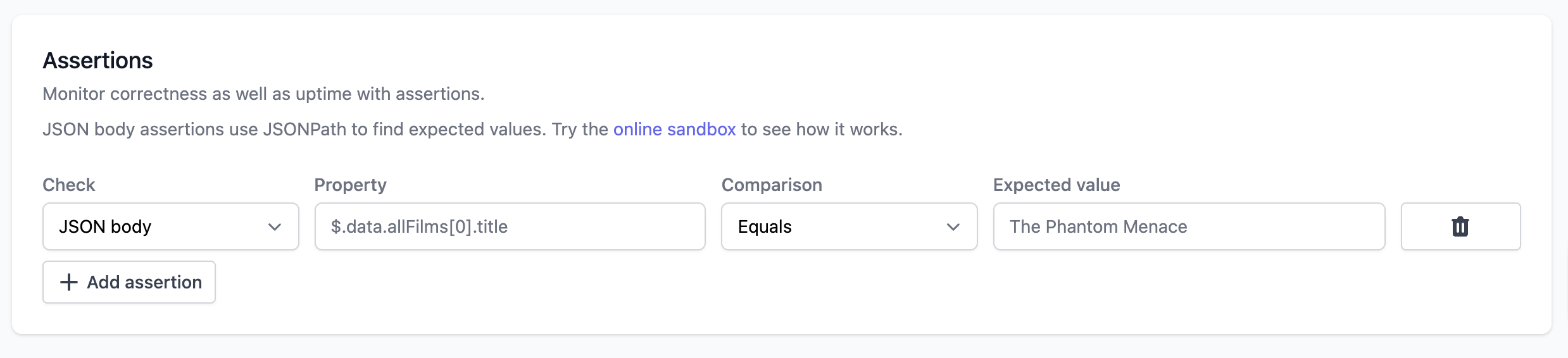
Assertion types
Status code
Choose Status code → Is one of and select one or more acceptable HTTP response codes. For example, select 401 Unauthorized when an endpoint should reject unauthenticated requests.
Any selected code is accepted. All other assertions and text searches must also pass. Without a status code assertion, any 2xx response is accepted. Network errors, TLS failures and timeouts always fail.
| Field | Value |
|---|---|
| Property | Not used |
| Comparison | Is one of |
| Expected value | One or more unique codes from 100 through 599 |
Each HTTP check supports one status code assertion. Redirect settings determine whether the assertion checks the redirect response or its destination. History retains the actual response code, including accepted non-2xx responses.
For the API, use:
{
  "type": "STATUS_CODE",
  "property": "",
  "comparison": "IS_ONE_OF",
  "expected": [200, 204]
}
JSON body
Assert on values in JSON responses using JSONPath.
| Field | Description |
|---|---|
| Property | JSONPath expression (e.g., $.data.user.name) |
| Expected value | Value to match |
Use the JSONPath online sandbox to test expressions.
Text body
Assert on text content anywhere in the response body.
| Field | Description |
|---|---|
| Property | Not used; text body assertions check the whole response body |
| Expected value | Text to match (for comparisons such as Contains or Equals) |
Response headers
Assert on HTTP response headers.
| Field | Description |
|---|---|
| Property | Header name (e.g., Content-Type) |
| Expected value | Expected header value |
HTML body
Assert on HTML elements using CSS selectors.
| Field | Description |
|---|---|
| Property | CSS selector (e.g., meta[name="viewport"]) |
| Expected value | Expected element content |
Notes:
- Commented-out elements (
<!-- ... -->) are not found - Supports all CSS selectors
- HTML assertions check the selected element's text content, except
metatags where they check thecontentattribute - Empty elements like
<link>can be checked for existence withNot null, butNot emptywill fail because they have no text content - To check a
<link>attribute such ashref, include it in the selector, for examplelink[rel="canonical"][href="https://example.com/page"]withNot null
Common CSS selector patterns:
| Selector | Matches |
|---|---|
meta[name="viewport"] |
Exact attribute match |
link[rel="canonical"] |
Canonical link tag exists |
link[rel="canonical"][href="https://example.com/page"] |
Canonical link with exact URL exists |
script[src*="analytics"] |
Attribute contains substring |
[property^="og:"] |
Attribute starts with |
[href$=".pdf"] |
Attribute ends with |
.cookie-banner |
Class name |
#main-content |
ID |
Comparisons
| Comparison | Description |
|---|---|
| Equals | Exact match |
| Not equals | Does not match |
| Greater than | Numeric comparison |
| Less than | Numeric comparison |
| Null | Value is null |
| Not null | Value exists |
| Empty | Value is empty string |
| Not empty | Value has content |
| Contains | Substring match |
| Not contains | Substring not present |
| True | Boolean true |
| False | Boolean false |