01 / Activity records

Reliable and private activity records.
- Detects apps, sites, calendar events, and idle time
- Builds a private timeline as you work
- Runs through the desktop app for Mac and Windows
AI-powered time tracking
AutoTrack builds a timeline in the background, so no one has to remember to start a timer. Review it, confirm what counts as work, done. No screenshots, no one watching how you work.

how it works
See exactly how AutoTrack builds your day for you, from the first app you open to the timesheet you submit.
Reliable and private activity records.
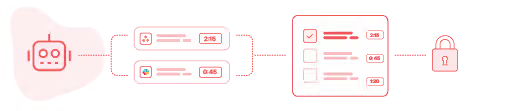
Nobody has to remember what got worked on, suggestions already know.

The view adapts to how the work actually happens.

No gaps, no forgotten hours.
Time tracking software
Manual time tracking means starting and stopping timers, guessing what you did after the fact, and hoping nothing got missed. AutoTrack tracks the work automatically, suggests entries based on real activity, and gives you a private timeline only you can see, before you decide to log it.
Team adoption
Time tracking only works if the whole team does it, and people skip it when it feels like surveillance.
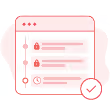
AutoTrack never takes screenshots, records keystrokes, or captures personal content. Activity stays private by default, visible only until someone chooses to confirm it as a time entry. Nothing gets shared before that point.
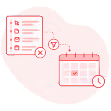
Managers only ever see the entries someone confirms, never the raw activity behind them. The timeline itself stays out of view, so nobody has to explain a tab left open or a break between tasks.
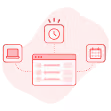
Real time or end of day, AutoTrack fits how each person logs time, without anyone needing to be watched to be trusted. The system adapts to the habit, not the other way around.
Time tracking app

Explore different time tracking methods and find the one that fits how work already happens.
explore tracking methods
AutoTrack builds accurate, up-to-date timesheets without relying on memory or manual input.
employee timesheet software
Reliable tracking for distributed teams, without micromanagement.
time tracking for remote teams

how it fits your workflow
Track
Time tracking
Organize
Projects & Tasks
Approve
Timesheets & Approvals
Share
Reports & Clients
Bill
Invoicing & Rates
get started
No timers to start, no memory to rely on, just an accurate record of the day.
Get started